![GRABWEB [India]](/templates/lagom2/assets/img/logo/logo_big.1492388305.svg "GRABWEB [India]")
- Login into Plesk Panel

2. Select the "Domains" tab as marked in the image

3. Click on domain name for which you want to install the SSL certificate as marked in the image.

4. Click on "SSL/TLS Certificates" option as marked in the image.

5. Click on Add SSL/TLS Certificate button as marked in image.

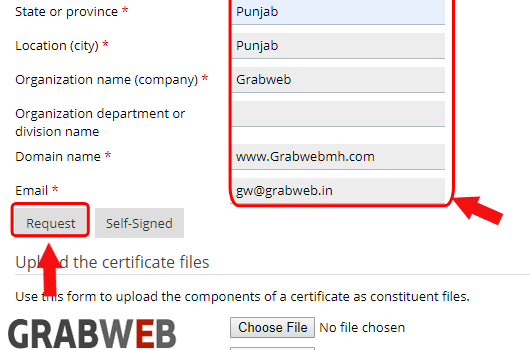
6. Enter the Certificate name and required information .

7. After full fill the information click on "Request" button as marked in the image.
8. In the bellow image you can see CSR created successfully.

9. Now visit the website of the certification authority from which you want to purchase an SSL certificate, and follow the links on their site to start a certificate ordering procedure. When you are prompted to specify CSR text, paste the data from the clipboard into the online form and click Continue. The certification authority will create an SSL certificate in accordance with the information you supplied. once the issued the certificate then you need to paste .CRT info and CA certificate.

10 At the End click on Upload Certificate button.

