![GRABWEB [India]](/templates/lagom2/assets/img/logo/logo_big.1492388305.svg "GRABWEB [India]")
To enable Atmail from the plesk panel :-
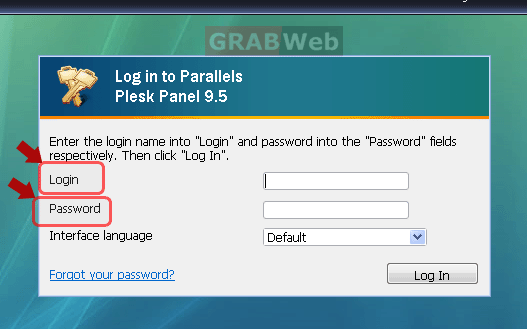
1. Login to Plesk control Panel.
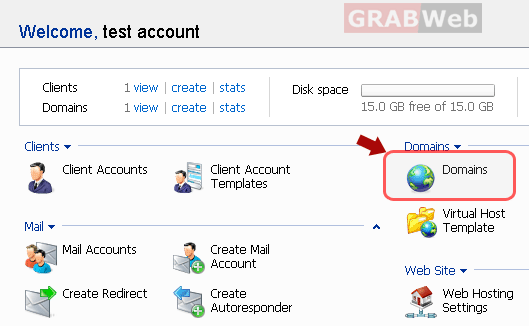
2) Click the "Domains" shortcut in the navigation panel.
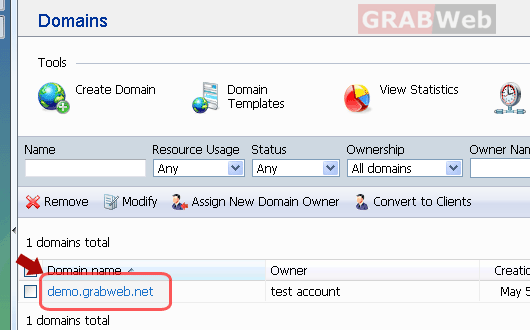
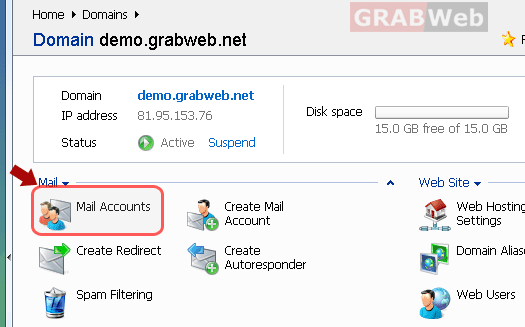
3) Click the required domain name in the list.
4) Click on Mail Accounts > Mail Settings.
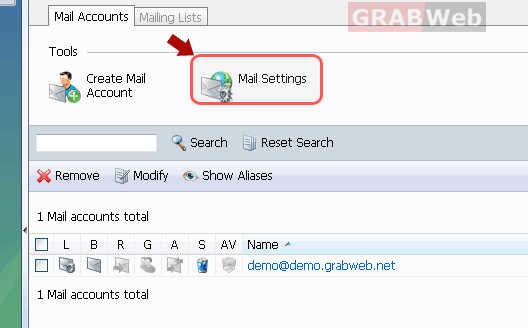
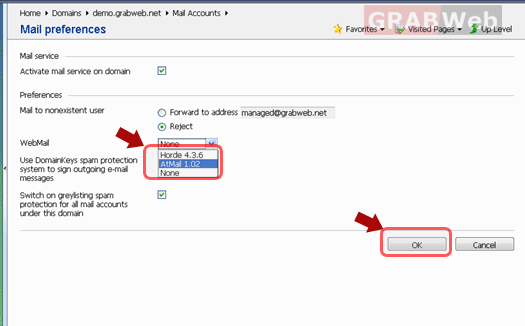
5) Select the dropdown menu for Webmail and select the client "Atmail" for webmail and hit the "OK" button at the bottom right on the panel.