![GRABWEB [India]](/templates/lagom2/assets/img/logo/logo_big.454175622.gif "GRABWEB [India]")
To Make the DNS server act as a slave for the zone of domainname.com, please follow the following steps :-
1) Login to your Plesk control panel.

2) Click on "Subscriptions".
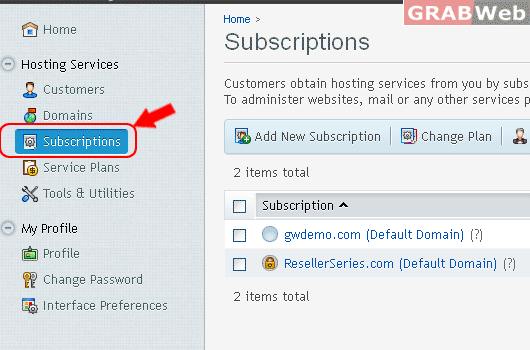
3) Click on "Manage Hosting".

4) Click on "Websites and Domains".
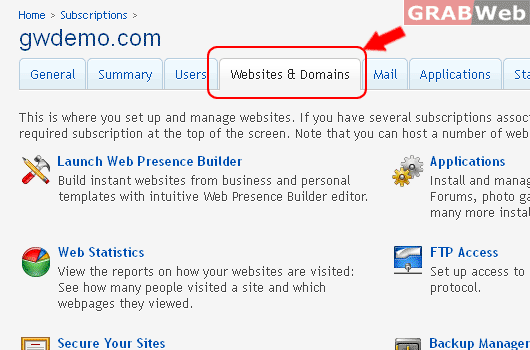
5) Click on the DNS Settings.

6) Click on [Manage] in the front of that domain name only.

7) Click on ".Switch DNS Service Mode".

Information: This server now acts as a slave for the DNS zone gwdemo.com.
