![GRABWEB [India]](/templates/lagom2/assets/img/logo/logo_big.454175622.gif "GRABWEB [India]")
1) Login in to your Plesk Control Panel.

2) Click "Subscriptions" at the left.
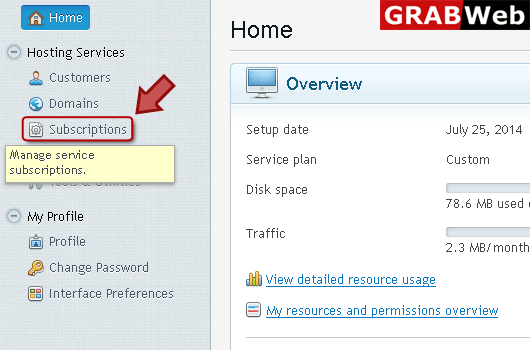
3) Click on subscription name.

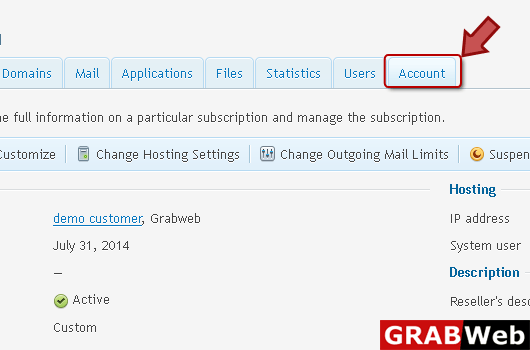
4) Click "Account" tab at the right.
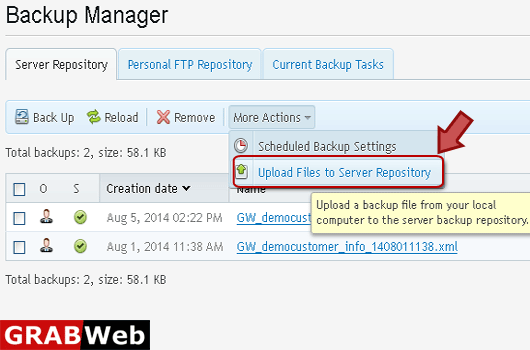
5) Click "Backup My Account and Websites" at the left.

6) Click "Upload files to Server Repository" option at the right.
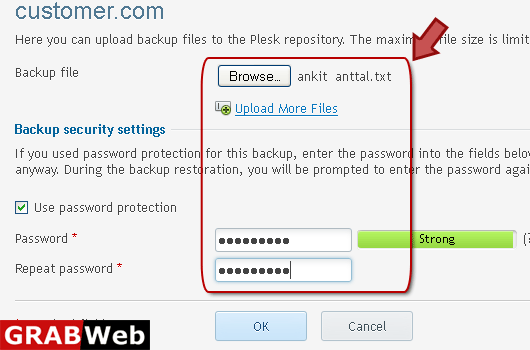
7) Enter information in Red marked box then click Ok.