1) Login in to your Plesk Control Panel.

2) Click "Subscriptions" at the left.

3) Click on subscription name.

4) Click "Websites and Domains" tab.

5) Click on FTP Access.

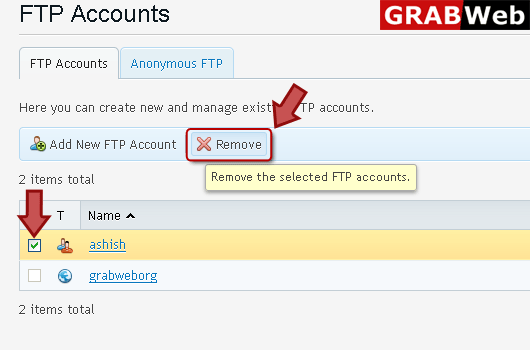
6) Select FTP account name then click "Remove" tab.
![GRABWEB [India]](/templates/lagom2/assets/img/logo/logo_big.454175622.gif "GRABWEB [India]")
To Change FTP account username and password:1) Login in to your Plesk Control Panel.2) Click...
NOTE:If you are working on your website together with someone else or host subdomains for other...
To change property of additional FTP account:1) Login in to your Plesk Control Panel.2) Click...
NOTE:If your site is hosted on a dedicated IP address (not shared by other users or sites), you...
To change setting for anonymous FTP access:1) Login in to your Plesk Control Panel.2) Click...
