1)Login to Plesk control panel.

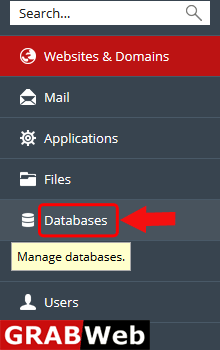
2)Click on Database Tab.
3)Bellow the database click on Show More option.
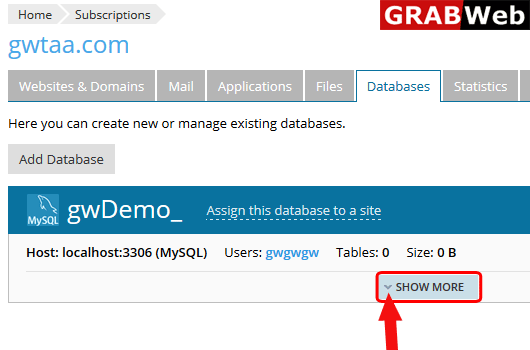
4)Click on Connection Info.

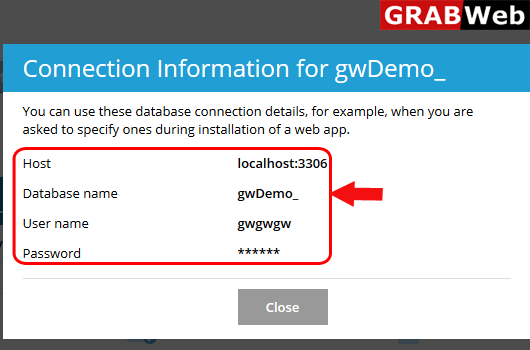
5)Here you can see the connection information.
![GRABWEB [India]](/templates/lagom2/assets/img/logo/logo_big.1492388305.svg "GRABWEB [India]")
To add database in subscription follow the following steps:-1)Login to Plesk control...
To add user for database follow thw folllowing steps:-1)Login to Plesk control panel.2)Click on...
To change user of database follow the following steps:-1)Login to Plesk control panel.2)Click on...
To export database in plesk follow the following steps:-1)Login to Plesk control panel.2)Click on...
To import database in plesk follow the following steps:-1)Login to Plesk control panel.2)Click on...
