![GRABWEB [India]](/templates/lagom2/assets/img/logo/logo_big.454175622.gif "GRABWEB [India]")
- Login into Plesk Panel.

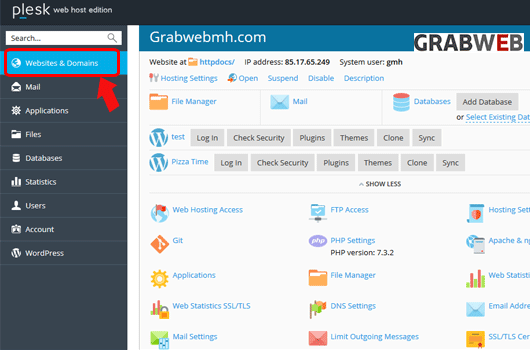
2. Click on the "Websites & Domains" tab as marked in the image.
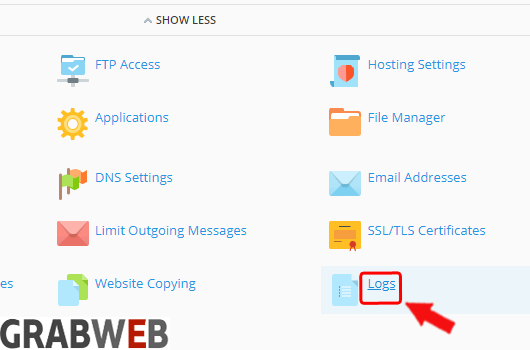
3. Select the "Logs" button as marked in the image.
4. Click on "All logs" button and select "Manage log files" as marked in the image.

5. Select the "Download" option as marked in the image.

