![GRABWEB [India]](/templates/lagom2/assets/img/logo/logo_big.1492388305.svg "GRABWEB [India]")
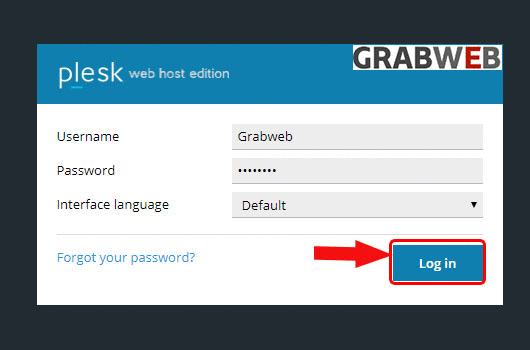
1. Login into Plesk Panel.
2. Click on the "Subscriptions" button on the left side of the screen as marked in the image.

3. Click the "Subscriptions Name" as marked in the image.

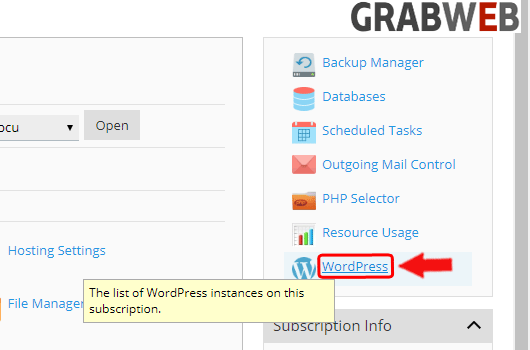
4. Select the "WordPress" tab at the right side of the screen as marked in the image.
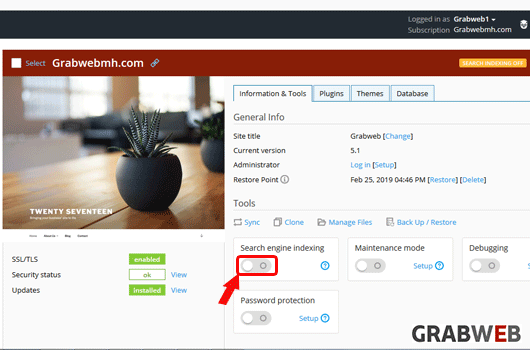
5. Click on the "Search engine indexing" button if your website is not yet ready for public viewing, disable this option to make sure that search engines do not show your website in the list of search results. Disabling this option enables the "Discourage search engines from indexing this site" in WordPress at the right side of the screen as marked in the image.
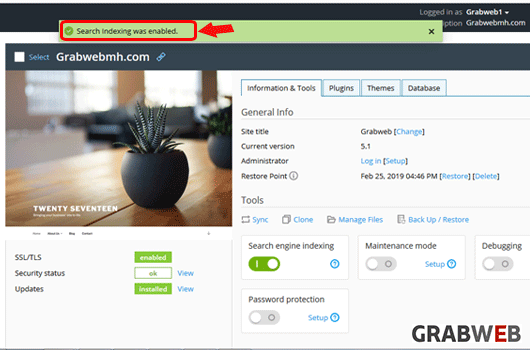
6. Settings have successfully applied as marked in the image.