![GRABWEB [India]](/templates/lagom2/assets/img/logo/logo_big.1492388305.svg "GRABWEB [India]")
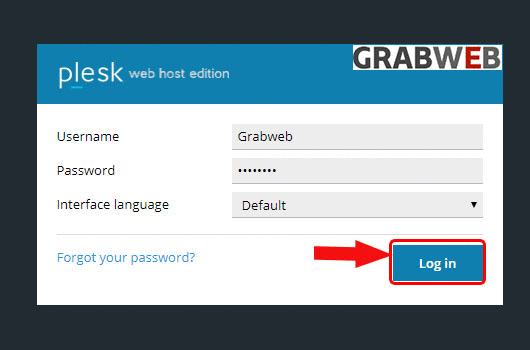
1. Login into Plesk Panel.
2. Click on the "Subscriptions" button on the left side of the screen as marked in the image.

3. Click the "Subscriptions Name" as marked in the image.

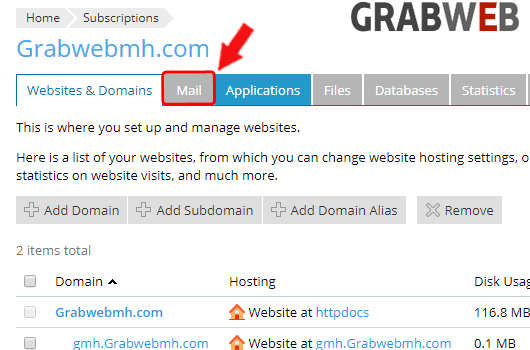
4. Click on the "Mail" tab as marked in the image.
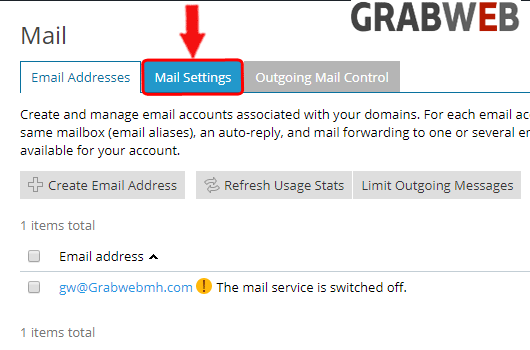
5. Click on the "Mail settings" button as marked in the image.
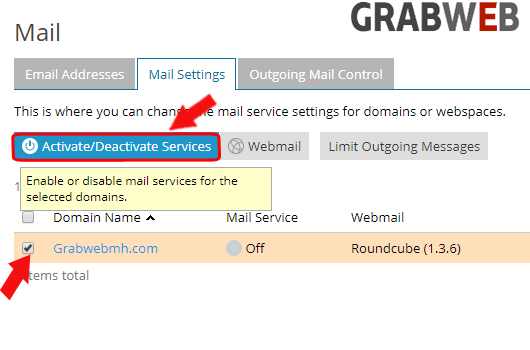
6. Select the checkbox in front of email address and click on Activate/Deactivate mail services button as marked in the image.
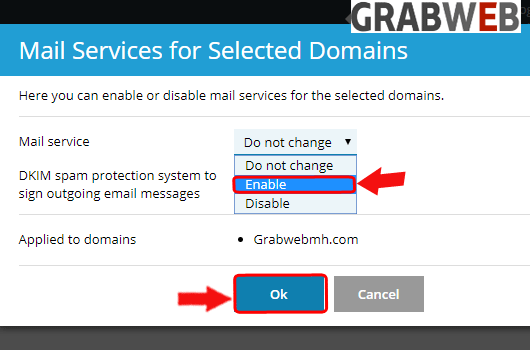
7. In popup window select Enable and click on "Ok" as marked in the image.
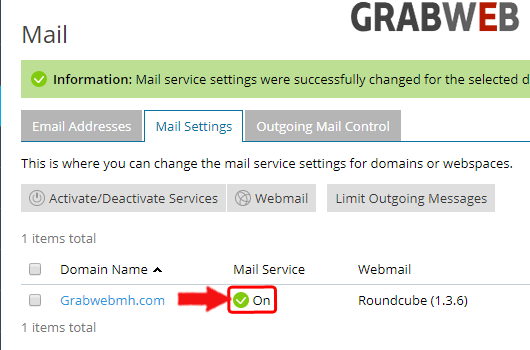
8. Here you can see mail service activated successfully.