![GRABWEB [India]](/templates/lagom2/assets/img/logo/logo_big.1492388305.svg "GRABWEB [India]")
To change the password for your email address , please follow the following steps :-
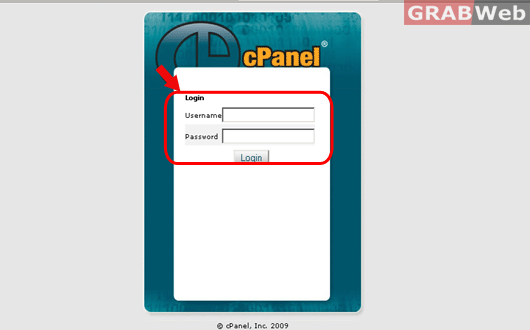
1) Login to cPanel.
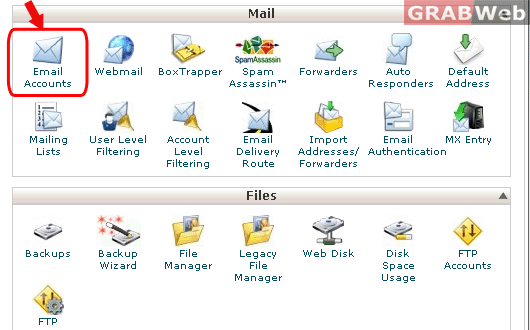
2) Click on "Email Accounts" under Mail category.
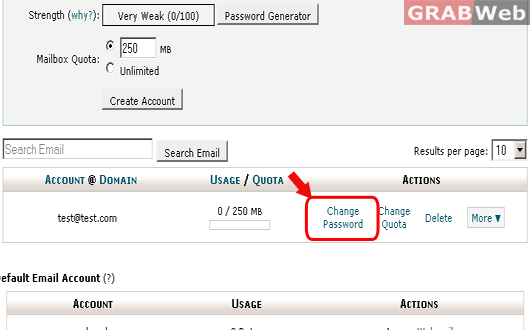
3) Click on "Change Password" option infront of the email address that you have created.
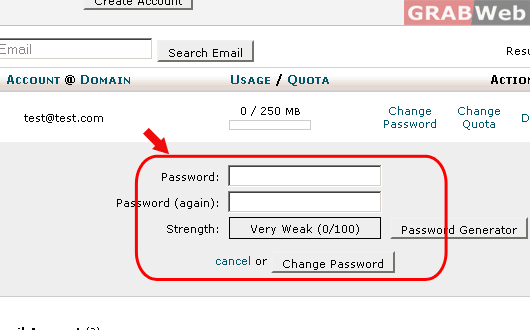
4) Enter the same password for 2 times and click on "Change Password".
Now you can check the email password by accessing it from webmail "https://your-domain.com/webmail "
