![GRABWEB [India]](/templates/lagom2/assets/img/logo/logo_big.1492388305.svg "GRABWEB [India]")
To install wordpress under your doamin,please follow the following steps :-
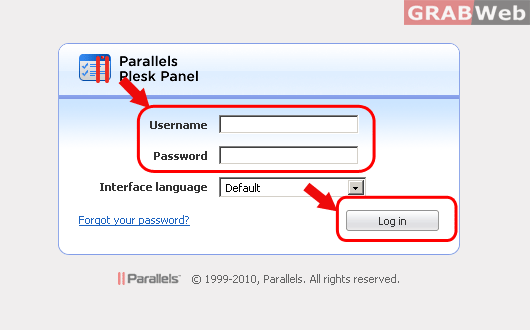
1) Login to Plesk 10.x control panel.
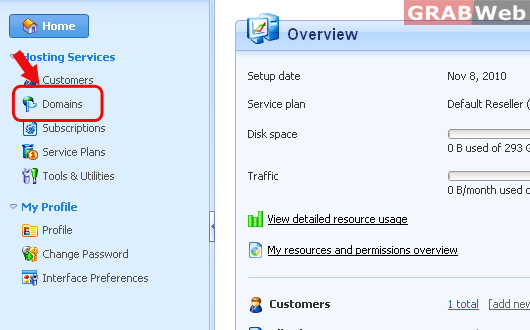
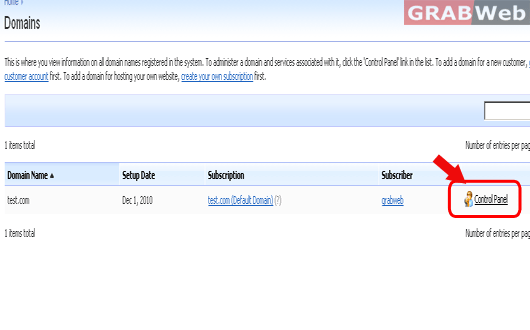
2) Click on "Domains" and then Click on "Control panel" in front of the domain.
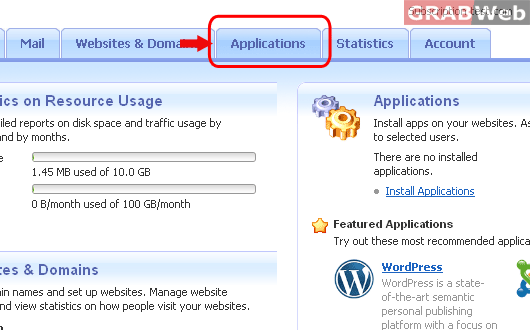
3) Click on "Applications" icon.
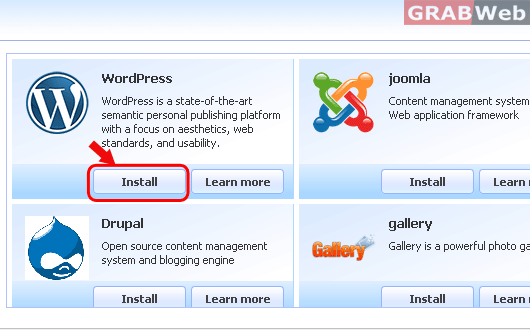
4) Click on "Install " button to Wordpress to install the application.
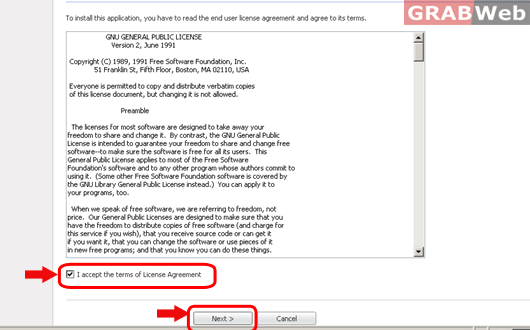
5) Click on the check box in front of "I accept the terms of License
Agreement " and press "Next".
6) Select the domain under which you want to install this application and
the directory under which you want to install.

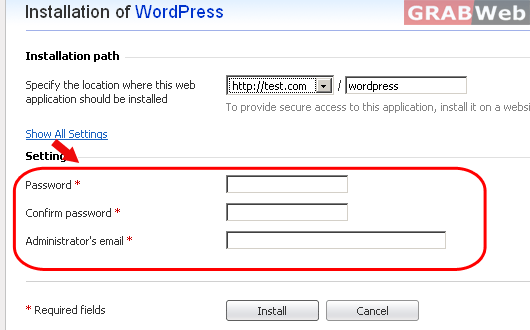
7) Enter the following details and press "Install"
Password :- it will be the Admin password.
Administrator's email :- It will be email address for Admin.
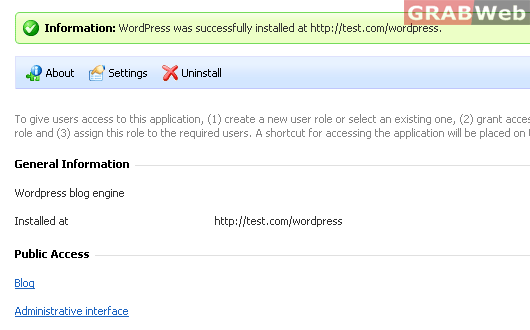
8) You will get the notice "Information: WordPress was successfully installed at http://test.com/wordpress".
once the wordpress is installed under your domain.