![GRABWEB [India]](/templates/lagom2/assets/img/logo/logo_big.454175622.gif "GRABWEB [India]")
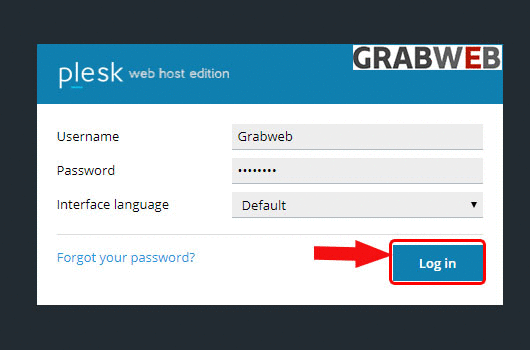
1. Login into Plesk Panel.
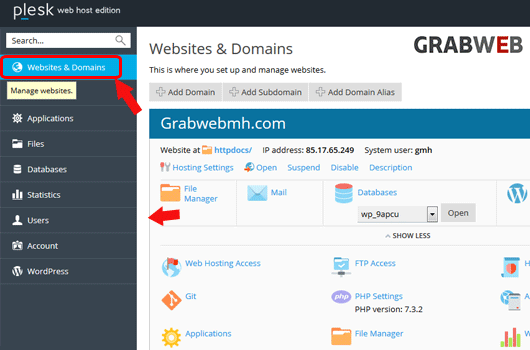
2. Click on the "Websites & Domains" tab as marked in the image.
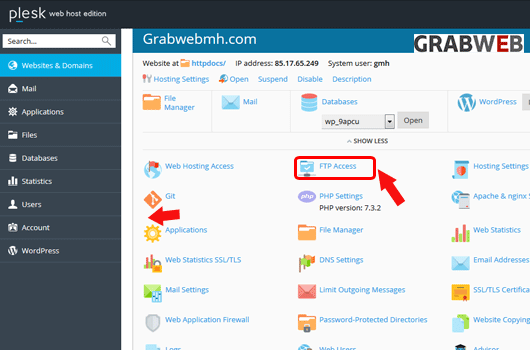
3. Click on the "FTP Access" button as marked in the image.
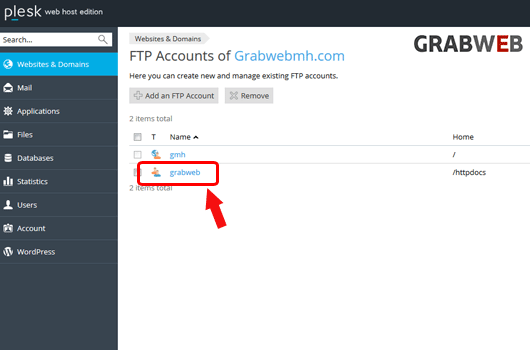
4. Click on the FTP account name as marked in the image.
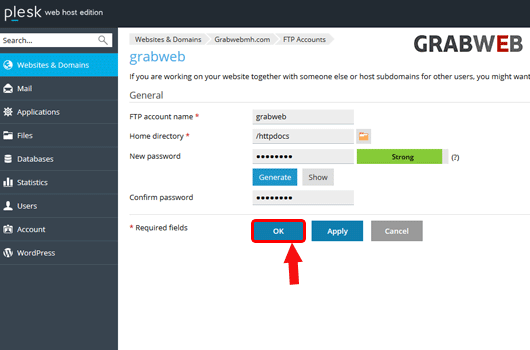
5. Generate the new password and save, Also click on Ok button as marked in the image.