![GRABWEB [India]](/templates/lagom2/assets/img/logo/logo_big.454175622.gif "GRABWEB [India]")
To add more domains under my account, please follow the following steps :-
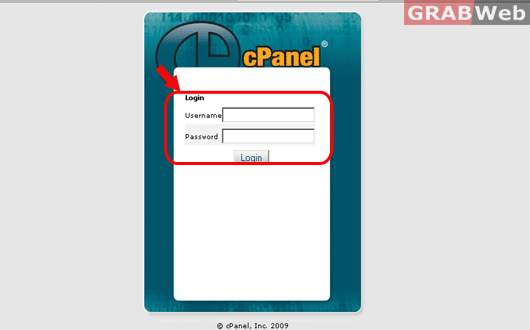
1) Log in to cPanel.
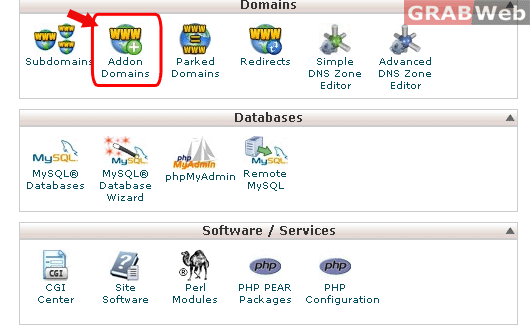
2) Click on "Addon Domains" under domains category.
3) Enter the following details :-
New Domain Name :- The name of the domain that you want to add.
Subdomain/Ftp Username :- The FTP username for that domain.
Document Root :- By default the document root will be "/public_html/test.com/" and we also recommend not to change this path.
Password: Enter the password that will be used to access FTP.
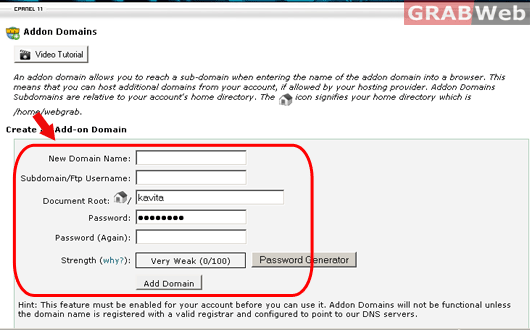
4) Click on "Add domain" and it will add domain under your account.
