![GRABWEB [India]](/templates/lagom2/assets/img/logo/logo_big.1492388305.svg "GRABWEB [India]")
To Use Website Copying in Reseller Account, Please follow following steps:
Copy the website files to another site of yours hosted under this account or to an FTP storage. Such copying is useful if this is a production website and you are planning to make major site changes. In such a case, you can clone the site to a staging environment and let your designers and programmers work on the clone without interrupting operations of the production site. Copying the site files is a part of cloning the site, you will also have to copy databases used by the site to complete it. For details, go to Websites & Domains > Learn How to Clone a Site to Staging Environment. If you do not have another site to use as a staging environment, you can add a new domain or a subdomain for that purpose.
1) Login to Plesk control panel.

2) Click on "Subscriptions"
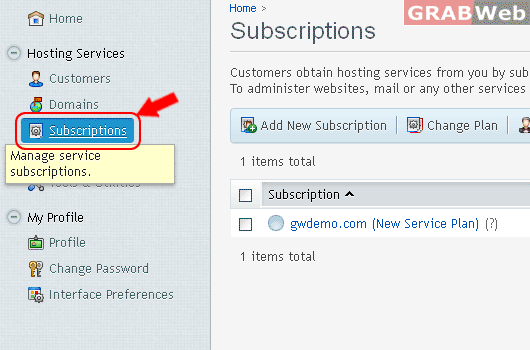
3) Click on "Manage Hosting"

4) Click on "Websites & Domains"
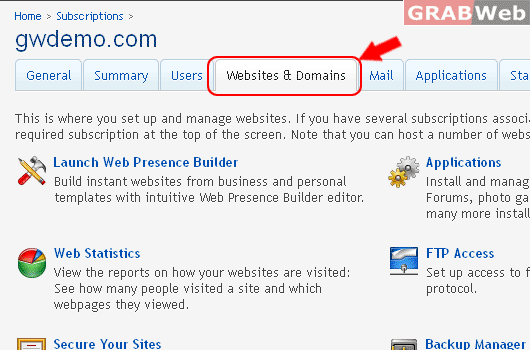
5) Click on "Show Advanced Operations"

6) Click on "Website Copying"
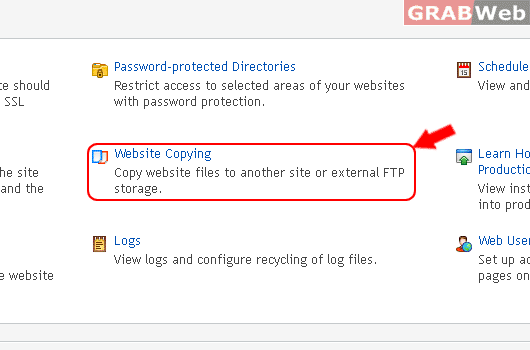
7) Under the FTP storage
Enter the following details as marked in RED.

8) Click Ok.
