![GRABWEB [India]](/templates/lagom2/assets/img/logo/logo_big.454175622.gif "GRABWEB [India]")
To Create E-mail Address, please follow the following steps :-
1) Login to Plesk Control Panel.

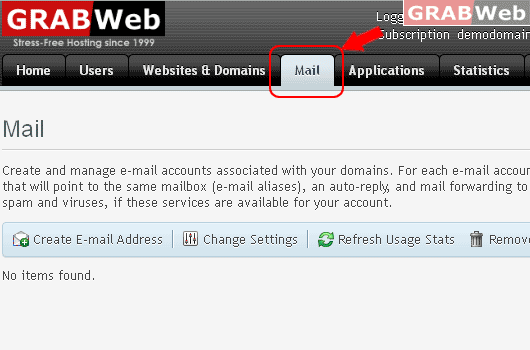
2) Click on "Mail Tab"
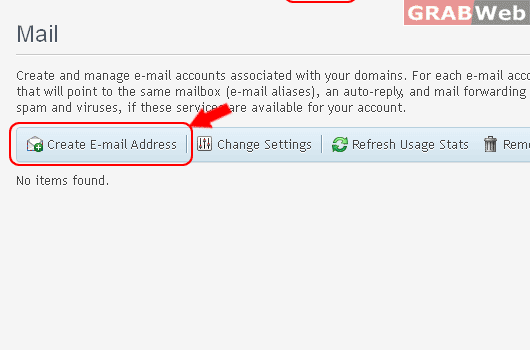
3) Click on "Create E-mail Address".
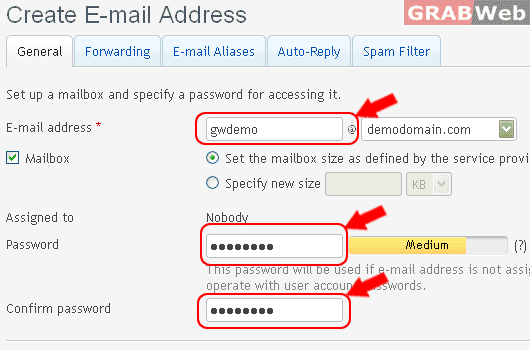
4) "Enter the following details :-
Email address :-
Mailbox quota :-
Password :-
6) Once you have enter the above details click on "OK" and email account will be configured.
Information: E-mail address email.address@gwdemo.com was created.
