![GRABWEB [India]](/templates/lagom2/assets/img/logo/logo_big.454175622.gif "GRABWEB [India]")
1) Login in to your Plesk Control Panel.

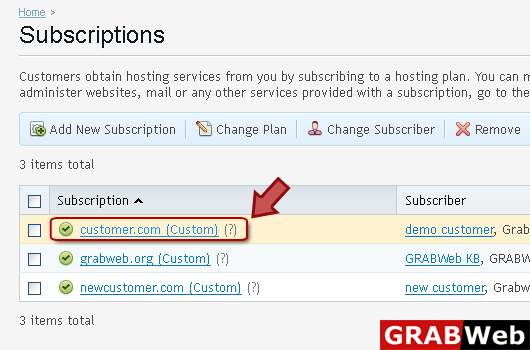
2) Click "Subscriptions" at the left.

3) Click on subscription name.
4) Click "Account" tab at the right.

5) Click "Backup My Account and Websites" at the left.

6) Click on backup name on which you want to restore.

7) You can select all objects or selected object depend upon your need.

8) Click Restore.
