![GRABWEB [India]](/templates/lagom2/assets/img/logo/logo_big.454175622.gif "GRABWEB [India]")
To change the files permissions from Plesk control panel please follow the following steps:-
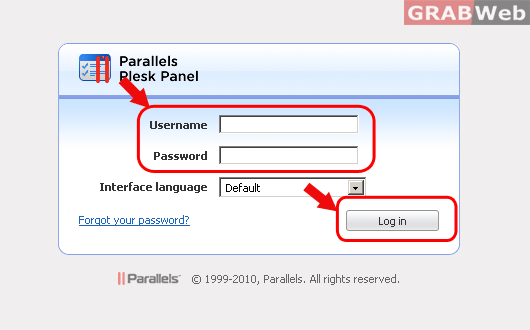
1) Login to Plesk control panel.
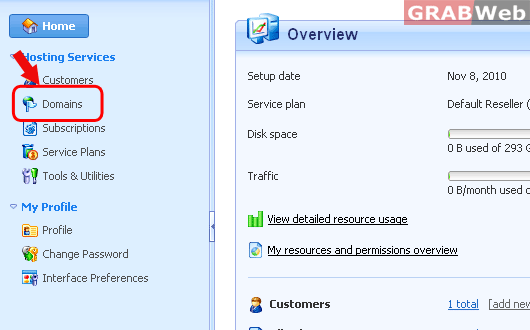
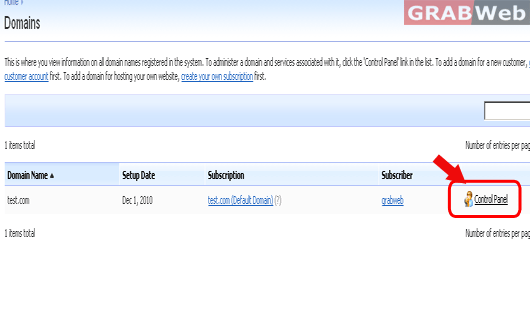
2) Click on "Domains" and then Click on "Control panel" in front of the domain whose files permession you want to change.
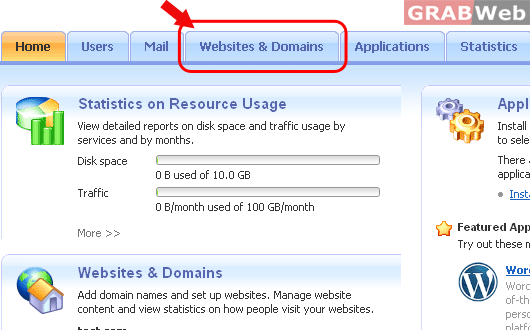
3)Click on "Websites and Domains".
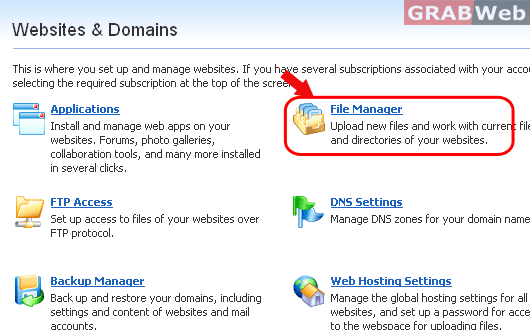
4) Click on "File manager".
5) Click on Permission assigned to that file under Permission column.
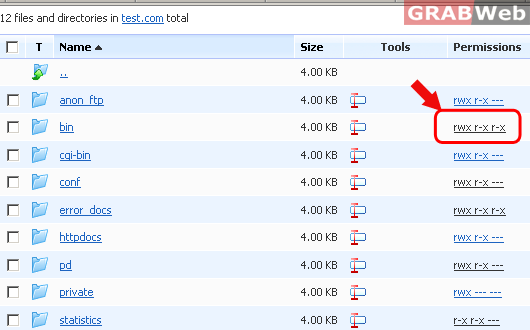
6) The permissions are represented as three sets of symbols, for example, 'rwx rwx r--'.
The first set tells what the owner of the file or directory can do with it; the second tells
what the user group, the file or directory belongs to, can do with the file or directory;
the third set indicates what other users (the rest of the world, i.e. Internet users visiting
a site) can do with the file or directory. R means the permission to read the file or
directory, W means the permission to write to the file or directory, and X means the
permission to execute the file or look inside the directory. Click on "OK" when you
have assigned the permission.
