![GRABWEB [India]](/templates/lagom2/assets/img/logo/logo_big.1492388305.svg "GRABWEB [India]")
1) Login in to your Plesk Control Panel.

2) Click on "Mail" tab as marked in red.

3) Click "Outgoing Mail Control" at the right.
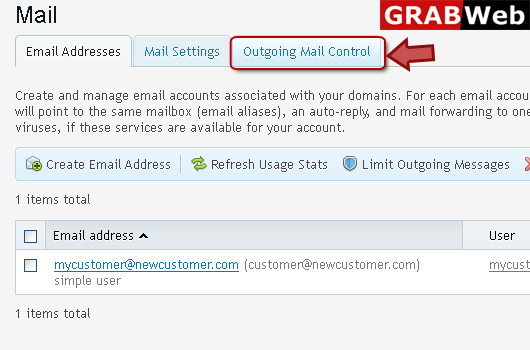
4) Then click on outgoing mail control option as marked in red.

5) If you want to see outgoing mail contriol limit for an email address then click Email address as marked in red box.

6) Here you can see the information in red marked box.

7) If you want to see outgoing mail control limit for a domain then click on Domains as marked in red box.

8) Here you can see the information in red marked box.
 \
\9) To see mail stats for a subscription click on "Subscription" as marked in red.

10) Here you can see mail stats for a subscription.

