![GRABWEB [India]](/templates/lagom2/assets/img/logo/logo_big.454175622.gif "GRABWEB [India]")
1) Login in to your Plesk Control Panel.

2) Click on "Websites & Domains " tab at the left.

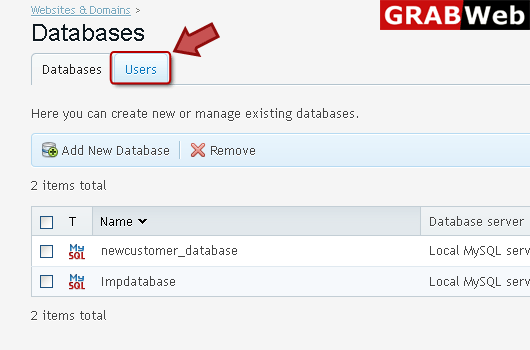
3) Click on "Databases" as marked in red.

4) Click "Users" tab at the right.
5) Click "Add New Database User" at the left.

6) Enter information in red marked box then click ok.

7) Here you can see your new user added.

