![GRABWEB [India]](/templates/lagom2/assets/img/logo/logo_big.454175622.gif "GRABWEB [India]")
To view PHP Settings of a domain:
1) Login in to your Plesk Control Panel.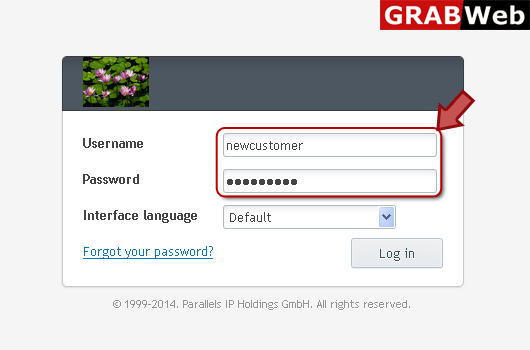
2) Click on "Websites & Domains" as marked in red.
3) Click on "PHP Settings" as marked in red.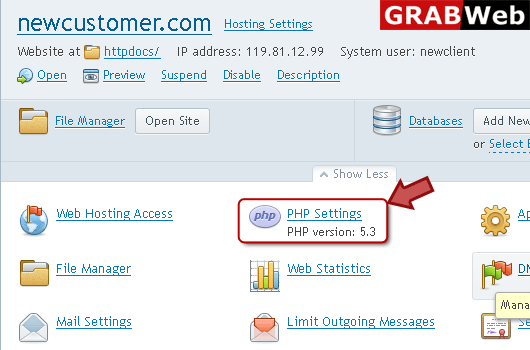
4) Here you can see the PHP Settings.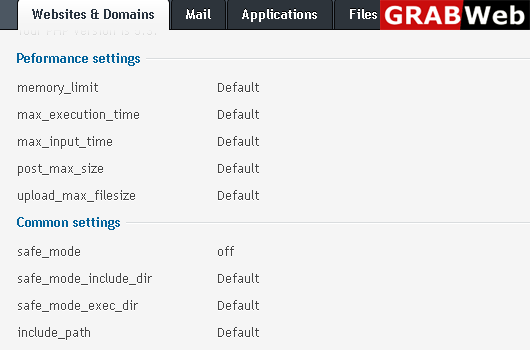
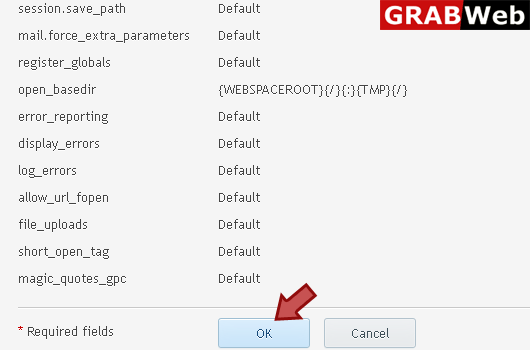
5) Click OK.
Most Popular Articles
Plesk 12 Customer How to view the general hosting settings ?
To view a website general Hosting Settings:1) Login in to your Plesk Control Panel.2) Click on...
Plesk 12 Customer How to change website status of a website ?
NOTE:The website status defines whether a website is available over the Internet and what hosting...
Plesk 12 Customer How to install apps ?
To installation Application:1) Login in to your Plesk Control Panel.2) Click on "Applications"...
