1)Login to Plesk control panel.

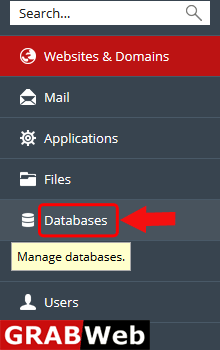
2)Click on Database Tab.
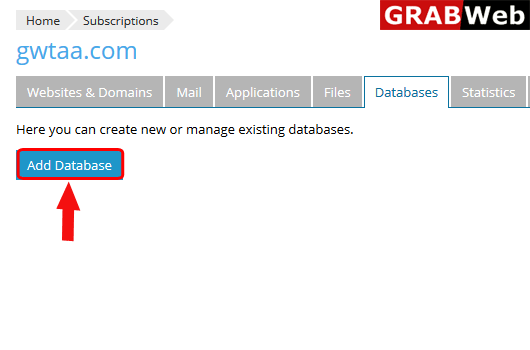
3)Click on Add Database as shown bellow.
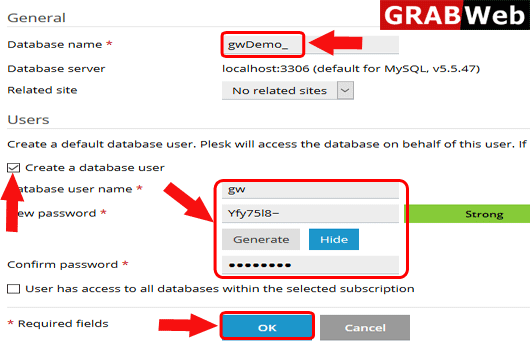
4)Fullfill the required information and then click on OK.
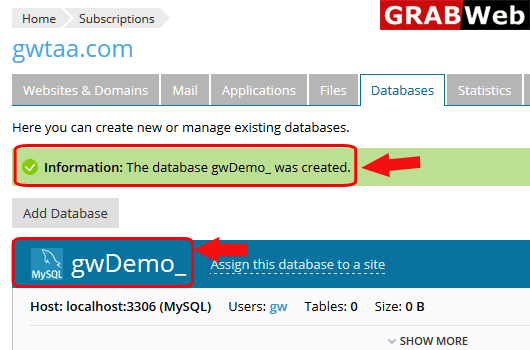
5)Here you can see your database was created.
![GRABWEB [India]](/templates/lagom2/assets/img/logo/logo_big.1492388305.svg "GRABWEB [India]")
To add user for database follow thw folllowing steps:-1)Login to Plesk control panel.2)Click on...
To change user of database follow the following steps:-1)Login to Plesk control panel.2)Click on...
To export database in plesk follow the following steps:-1)Login to Plesk control panel.2)Click on...
To import database in plesk follow the following steps:-1)Login to Plesk control panel.2)Click on...
To know the connection information of a used database follow the following steps:-1)Login to...
