![GRABWEB [India]](/templates/lagom2/assets/img/logo/logo_big.454175622.gif "GRABWEB [India]")
To protect your directory with password please follow the following steps:-
1) Log in to Plesk control panel.
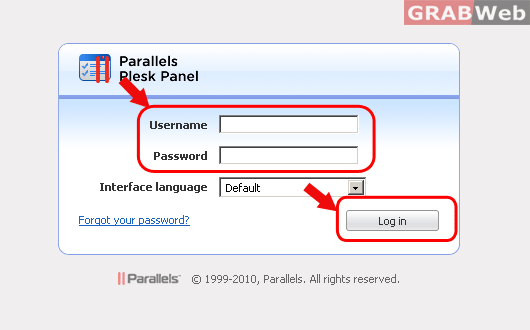
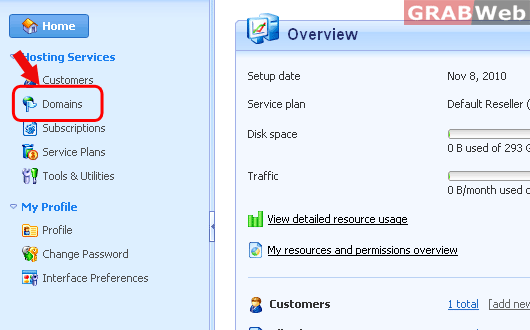
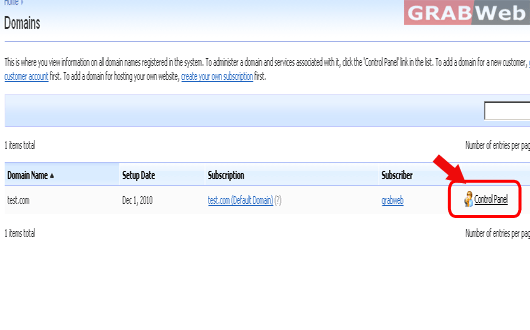
2) Click on "Domains" and then Click on "Control panel" in front of the domain whose files timestamp you want to change.
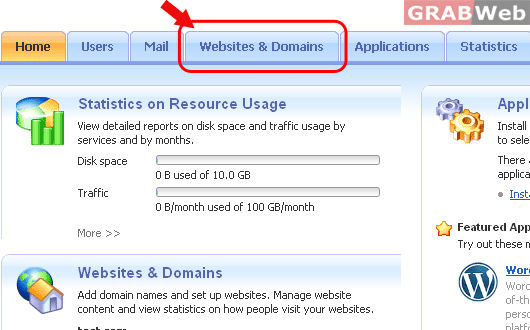
3) Click on "Websites & Domains".
4) Click on "Advanced Operations".
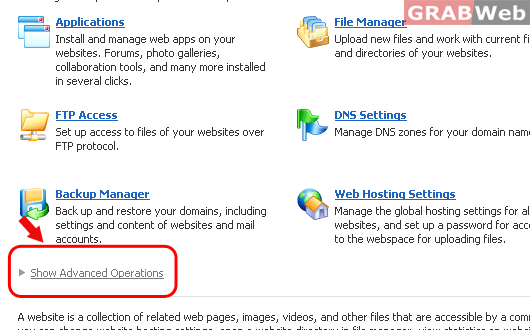
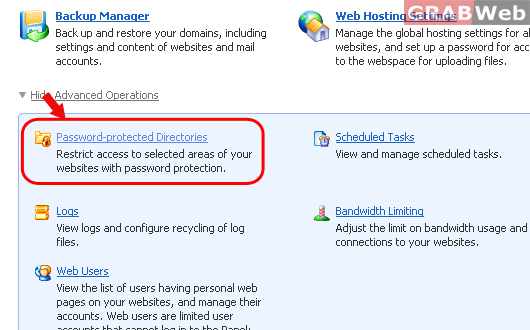
5) Click on "Password-protected Directories".
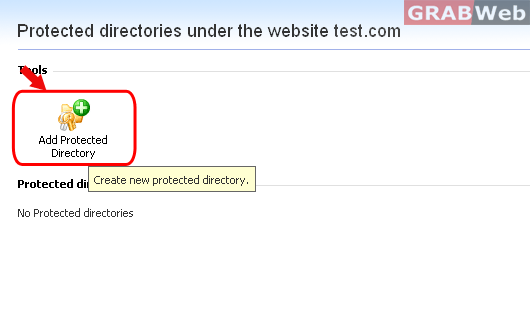
6) Click on "Add Protected Directory".
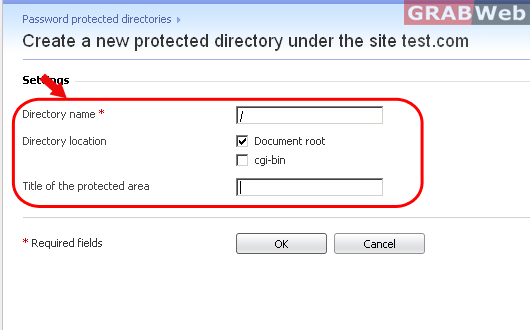
7) In the Directory name box, specify the following :-
a) The path to the directory that you want to protect with a password.
b) If you are using a Linux-based hosting account, you can also protect your CGI scripts stored in the cgi-bin directory.
To do this, leave '/' in the Directory name box and select the cgi-bin checkbox.
c) In the Title of the protected area box, type a resource description or a welcoming message that your users will see
when they visit the protected area.
8) Click OK. The directory you specified will be protected.
