![GRABWEB [India]](/templates/lagom2/assets/img/logo/logo_big.454175622.gif "GRABWEB [India]")
1) Login into your Plesk Control Panel.

2) Clicl "Domains" at the left.

3) Click on domain name.

4) Click on mail tab at the middle.

5) click "Outgoing Mail Control" tab at the right.

6) Click on outgoing mail control option.

7) You can set outgoing mail control for Email,Domain and Subscription.

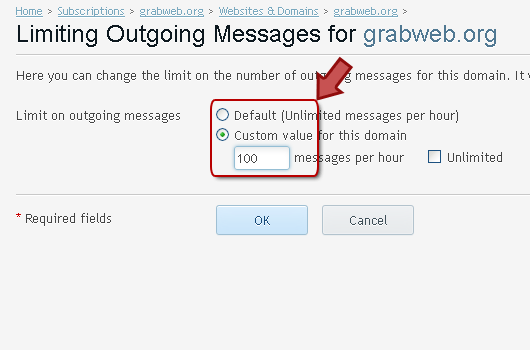
8) Click on Change Limit option.

9) Enter information in Red marked box then click Ok.