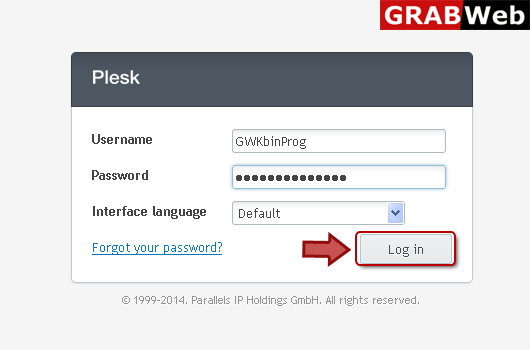
1) Login in to your Plesk Control Panel.
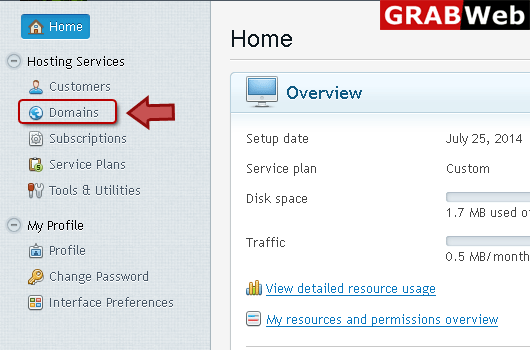
2) Click "Domains" at the left.
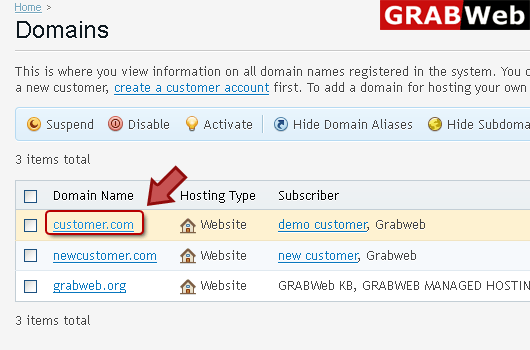
3) Click on domain name.
4) Click on Databases at the right.

5) Click "Users" tab at the right then select the user and click on remove.

![GRABWEB [India]](/templates/lagom2/assets/img/logo/logo_big.454175622.gif "GRABWEB [India]")
Creating Databases:1) Login in to your Plesk Control Panel.2) Click "Domains" at the left.3)...
Plesk allows you to copy databases from one database server registered in Plesk to another.1)...
NOTE:When you work with a database in Plesk, Plesk accesses the database on behalf of a user...
Setting up access to mysql databases1) Login in to your Plesk Control Panel.2) Click "Domains" at...
After you have created a database and assigned a database user to it, you can access it from...
