![GRABWEB [India]](/templates/lagom2/assets/img/logo/logo_big.454175622.gif "GRABWEB [India]")
1) Login in to your Plesk Control Panel.

2) Click "Subscriptions" at the left.
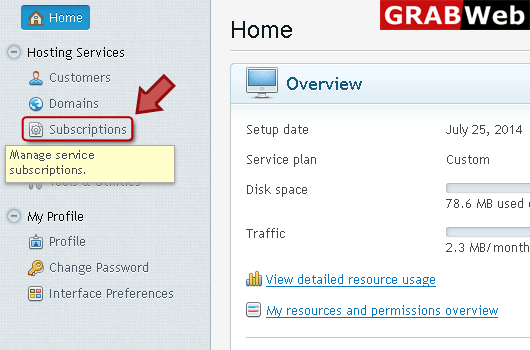
3) Click on subscription name.

4) Click "Applications" marked in red.

5) Click "Manage My Applications" at the left.

6) Click on application name which you want to manage.

7) Here you can see the general information about your installed app.

8) Click on "Change Settings" tab.

9) Enter information in red marked box then click ok.


