1) Login in to your Plesk control Panel.

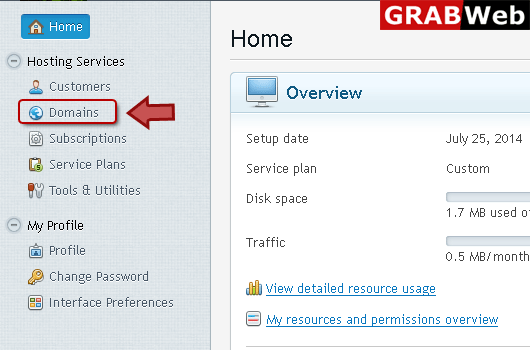
2) Click "Domains" at the left.
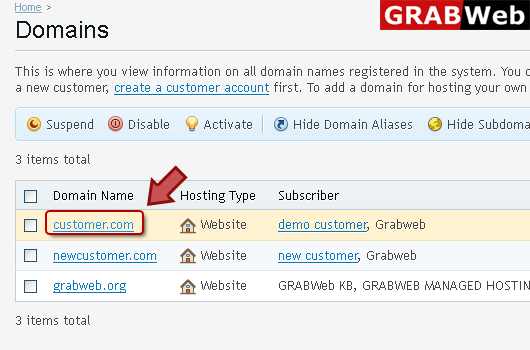
3) Click on domain name.
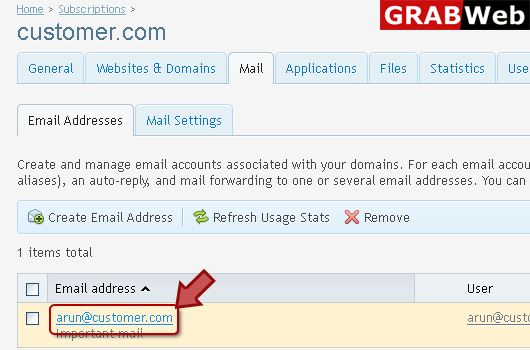
4) Click "Mail" tab as marked in red.

5) Click on email address.
6) Click "Email Aliases" at the middle enter email aliase name then ok.

![GRABWEB [India]](/templates/lagom2/assets/img/logo/logo_big.454175622.gif "GRABWEB [India]")
Mail Bounce Settings: when somebody sends an email message to an address that does not exist...
To create an email address:1) Login in to your Plesk Control Panel.2) Click "Domains" at the...
If you need to change the password for a mail account,do the following:1) Login in to your Plesk...
To setup email forwarding for an email address:1) Login in to your Plesk Control Panel.2) Click...
To setup automatic reply settings for an email address:1) Login in to your Plesk Control panel.2)...
