1) Login in to your Plesk Control Panel.

2) Click on "Websites & Domains" tab at the left.

3) Click on "Show More" at the bottom.
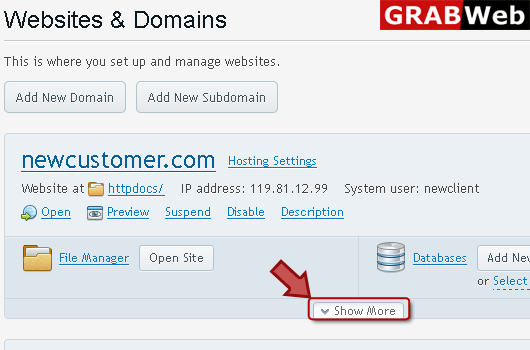
4) Click on "DNS Settings" as marked in red.

5) Select the record which you want to remove then click on Remove.

![GRABWEB [India]](/templates/lagom2/assets/img/logo/logo_big.454175622.gif "GRABWEB [India]")
If your hosting package includes more than one domain name (website), then you can easily add new...
To setup subdomain for a site:1) Login in to your Plesk Control Panel.2) Click on "Add New...
Adding wildcard subdomain:1) Login in to your Plesk Control Panel.2) Click "Add New Subdomain" as...
To view DNS record:1) Login in to your Plesk Control Panel.2) Click on "websites & Domains"...
To add a new resource record to a zone:1) Login in to your Plesk Control Panel.2) Click on...
