![GRABWEB [India]](/templates/lagom2/assets/img/logo/logo_big.454175622.gif "GRABWEB [India]")
1) Login in to your Plesk Control Panel.

2) Click on "Websites & Domains" tab at the left.

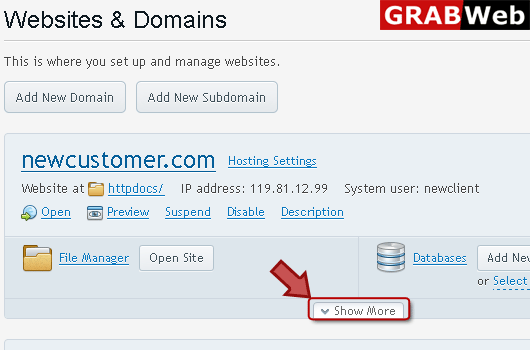
3) Click on "Show More" at the bottom.
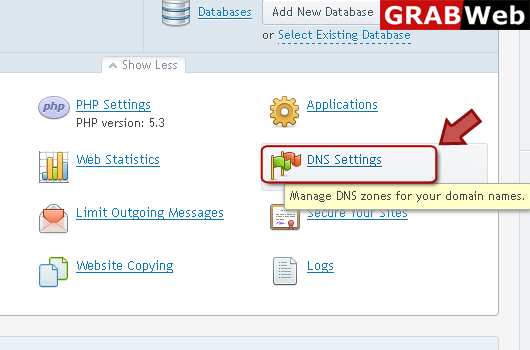
4) Click on "DNS Settings" as marked in red.
5) Click on switch DNS Service Mode.

6) Here you can see the information that this server act as a master DNS server.

